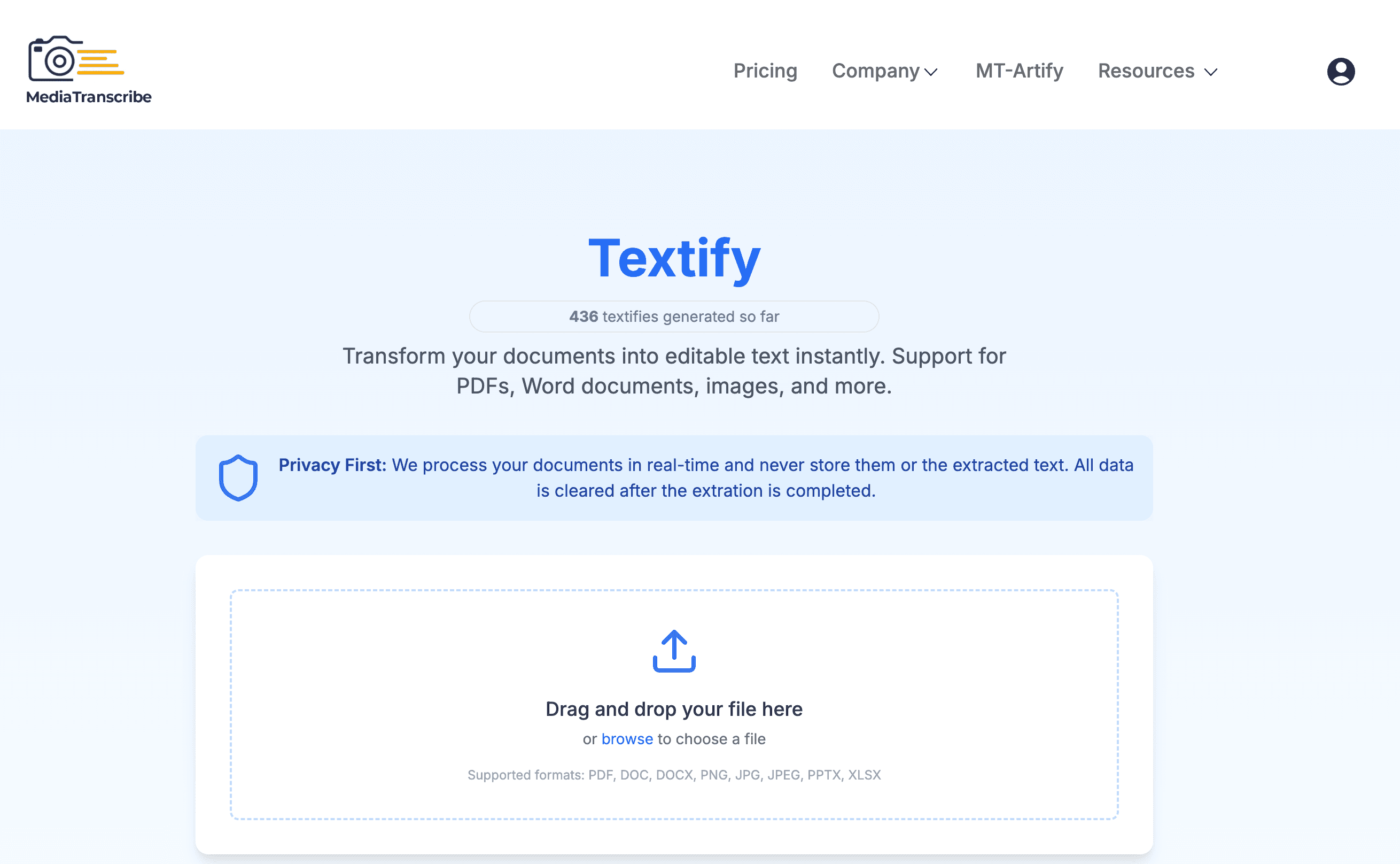
The backend of Textify, our powerful text extraction platform, leverages Python's extensive ecosystem of libraries and tools to handle a variety of document types. In this post, we'll explore the code that powers the text extraction feature, breaking it down into manageable sections to help you understand the structure and functionality.
For more details, visit our site at mediatranscribe.com/textify.
Why Document Text Extraction is Important
Value of Text Extraction
Document text extraction is a cornerstone for digitizing and analyzing content in various industries. Here are some reasons why it is crucial:
-
Data Accessibility: Text extraction enables easier access to information locked inside documents, making it searchable and usable for analysis.
-
Automation: It forms the backbone for automated workflows in document-heavy industries like legal, healthcare, and finance.
-
Insights and Analytics: Extracted text can be analyzed to derive valuable insights, aiding in decision-making processes.
-
Integration with AI: By feeding extracted text to AI models, businesses can enhance customer service, sentiment analysis, and more.
Use Cases
- Legal Industry: Extracting text from contracts and legal documents for compliance and risk management.
- Education: Digitizing textbooks and academic papers for easier referencing.
- Healthcare: Processing patient records for better medical insights and record-keeping.
- Finance: Extracting data from invoices, statements, and reports for audits and accounting.
Incorporating text extraction not only saves time but also ensures accuracy and scalability for businesses and applications that rely on document processing.
Prerequisites and Requirements
Before diving into the code, ensure you have the following prerequisites in place:
Python Environment
- Python Version: Python 3.8 or higher is recommended.
- Virtual Environment: Use a virtual environment (e.g.,
venvorconda) to manage dependencies and avoid conflicts.
Required Libraries
The project relies on several Python libraries. These can be installed using pip:
pip install easyocr xlrd pdfminer.six python-docx python-pptx langdetect asyncio
easyocr: For OCR-based text extraction from images.xlrd: For reading Excel files.pdfminer.six: For extracting text from PDF files.python-docx: For parsing Word documents.python-pptx: For extracting content from PowerPoint files.langdetect: For language detection.asyncio: For asynchronous programming.
Additional Tools
- Logger: Ensure a logging configuration is in place for tracking errors and system performance.
System Requirements
- Hardware: Ensure at least 4 GB of RAM and a multi-core processor for efficient threading.
- Operating System: Compatible with Windows, macOS, and Linux.
1. Constants and Configuration
Constants are crucial for ensuring code maintainability and reducing the use of hardcoded values. Here’s how we define key settings:
ALLOWED_EXTENSIONS = {"pdf", "docx", "doc", "jpg", "jpeg", "png", "pptx", "xlsx"}
MAX_FILE_SIZE = 10 * 1024 * 1024  # 10 MB
MAX_WORKERS = 3  # Number of concurrent threads
ALLOWED_EXTENSIONS: Specifies the file types supported by the platform.MAX_FILE_SIZE: Limits file uploads to 10 MB to prevent abuse.MAX_WORKERS: Configures the thread pool size for efficient parallel processing.
2. Optimizing with Caching
To boost performance, we use the lru_cache decorator to cache the results of frequently called functions.
@lru_cache(maxsize=1)
def get_ocr_reader():
    return easyocr.Reader(["en"])
- EasyOCR Reader: This function initializes an OCR reader for English. Caching avoids repeated initialization, saving time and resources.
For file validation, we use a similar approach:
@lru_cache(maxsize=1024)
def is_allowed_file(filename: str) -> bool:
    return "." in filename and filename.rsplit(".", 1)[1].lower() in ALLOWED_EXTENSIONS
This function ensures efficient validation by caching results of previously checked filenames.
3. Text Extraction Functions
The core functionality lies in extracting text from various file types. Below are key functions used:
Extracting Text from Word Documents
def extract_text_from_docx(filepath: str) -> str:
    try:
        doc = Document(filepath)
        return "\n".join([para.text for para in doc.paragraphs])
    except Exception as e:
        logger.error(f"Failed to extract text from DOCX: {str(e)}")
        raise
Document(filepath): Loads the Word file.- Error Handling: Logs and raises exceptions if the extraction fails.
Extracting Text from Excel Files
def extract_text_from_xlsx(filepath: str) -> str:
    workbook = xlrd.open_workbook(filepath)
    text = ""
    for sheet in workbook.sheets():
        for row_idx in range(sheet.nrows):
            row = sheet.row(row_idx)
            text += "\t".join(str(cell.value) for cell in row) + "\n"
    return text
- Iterating Sheets and Rows: Extracts data cell by cell, ensuring comprehensive text extraction.
Extracting Text from Images
def extract_text_from_image(filepath: str) -> str:
    try:
        reader = get_ocr_reader()
        results = reader.readtext(filepath, detail=0)
        return "\n".join(results)
    except Exception as e:
        logger.error(f"Failed to extract text from image: {str(e)}")
        raise
- OCR: Uses EasyOCR to detect and extract text from image files.
4. Asynchronous File Processing
To maintain responsiveness, especially when handling large files, we offload CPU-bound tasks to a thread pool:
async def process_file_in_thread(filepath: str, extension: str) -> str:
    loop = asyncio.get_event_loop()

    try:
        if extension == "pdf":
            return await loop.run_in_executor(executor, extract_pdf_text, filepath)
        elif extension in {"docx", "doc"}:
            return await loop.run_in_executor(executor, extract_text_from_docx, filepath)
        elif extension in {"jpg", "jpeg", "png"}:
            return await loop.run_in_executor(executor, extract_text_from_image, filepath)
        elif extension == "xlsx":
            return await loop.run_in_executor(executor, extract_text_from_xlsx, filepath)
        elif extension == "pptx":
            return await loop.run_in_executor(executor, extract_text_from_pptx, filepath)
    except Exception as e:
        logger.error(f"Error processing {extension} file: {str(e)}")
        raise
run_in_executor: Offloads tasks to a thread pool, ensuring that the main event loop remains responsive.- Dynamic Dispatch: Supports multiple file types with a simple conditional logic.
5. Efficient Resource Management
We use temporary files to securely handle uploads:
with NamedTemporaryFile(delete=False) as temp_file:
    temp_file.write(file_content)
    temp_filepath = temp_file.name
NamedTemporaryFile: Creates a temporary file for processing. It is cleaned up after use to ensure security and efficiency.
6. Comprehensive Logging and Metrics
For better debugging and reporting, the backend logs detailed metrics:
def human_readable_time(seconds: float) -> str:
    if seconds < 60:
        return f"{seconds:.2f} seconds"
    elif seconds < 3600:
        minutes = seconds // 60
        remaining_seconds = seconds % 60
        return f"{int(minutes)} minutes and {remaining_seconds:.2f} seconds"
    else:
        hours = seconds // 3600
        remaining_seconds = seconds % 3600
        minutes = remaining_seconds // 60
        remaining_seconds %= 60
        return f"{int(hours)} hours, {int(minutes)} minutes, and {remaining_seconds:.2f} seconds"
This function converts processing times into a human-readable format for clear insights into system performance.
Full Code Implementation
Below is the complete Python script for Textify's backend, excluding MongoDB-specific code, to provide a clear picture of its core functionality:
import os
from tempfile import NamedTemporaryFile
from concurrent.futures import ThreadPoolExecutor
import asyncio
from functools import lru_cache
from langdetect import detect

# Import text extraction libraries
import easyocr
import xlrd
from pdfminer.high_level import extract_text as extract_pdf_text
from docx import Document
from pptx import Presentation

# Constants
ALLOWED_EXTENSIONS = {"pdf", "docx", "doc", "jpg", "jpeg", "png", "pptx", "xlsx"}
MAX_FILE_SIZE = 10 * 1024 * 1024  # 10 MB
MAX_WORKERS = 3  # Number of concurrent threads

# Initialize thread pool
executor = ThreadPoolExecutor(max_workers=MAX_WORKERS)

@lru_cache(maxsize=1)
def get_ocr_reader():
    return easyocr.Reader(["en"])

def extract_text_from_image(filepath: str) -> str:
    try:
        reader = get_ocr_reader()
        results = reader.readtext(filepath, detail=0)
        return "
".join(results)
    except Exception as e:
        raise RuntimeError(f"Failed to extract text from image: {str(e)}")

@lru_cache(maxsize=1024)
def is_allowed_file(filename: str) -> bool:
    return "." in filename and filename.rsplit(".", 1)[1].lower() in ALLOWED_EXTENSIONS

def extract_text_from_xlsx(filepath: str) -> str:
    workbook = xlrd.open_workbook(filepath)
    text = ""
    for sheet in workbook.sheets():
        for row_idx in range(sheet.nrows):
            row = sheet.row(row_idx)
            text += "	".join(str(cell.value) for cell in row) + "
"
    return text

def extract_text_from_docx(filepath: str) -> str:
    try:
        doc = Document(filepath)
        return "
".join([para.text for para in doc.paragraphs])
    except Exception as e:
        raise RuntimeError(f"Failed to extract text from DOCX: {str(e)}")

def extract_text_from_pptx(filepath: str) -> str:
    prs = Presentation(filepath)
    text = ""
    for slide in prs.slides:
        for shape in slide.shapes:
            if shape.has_text_frame:
                text += "
".join([paragraph.text for paragraph in shape.text_frame.paragraphs]) + "
"
    return text

async def process_file_in_thread(filepath: str, extension: str) -> str:
    loop = asyncio.get_event_loop()

    try:
        if extension == "pdf":
            return await loop.run_in_executor(executor, extract_pdf_text, filepath)
        elif extension == "docx":
            return await loop.run_in_executor(executor, extract_text_from_docx, filepath)
        elif extension in {"jpg", "jpeg", "png"}:
            return await loop.run_in_executor(executor, extract_text_from_image, filepath)
        elif extension == "xlsx":
            return await loop.run_in_executor(executor, extract_text_from_xlsx, filepath)
        elif extension == "pptx":
            return await loop.run_in_executor(executor, extract_text_from_pptx, filepath)
    except Exception as e:
        raise RuntimeError(f"Error processing {extension} file: {str(e)}")

def human_readable_time(seconds: float) -> str:
    if seconds < 60:
        return f"{seconds:.2f} seconds"
    elif seconds < 3600:
        minutes = seconds // 60
        remaining_seconds = seconds % 60
        return f"{int(minutes)} minutes and {remaining_seconds:.2f} seconds"
    else:
        hours = seconds // 3600
        remaining_seconds = seconds % 3600
        minutes = remaining_seconds // 60
        remaining_seconds %= 60
        return f"{int(hours)} hours, {int(minutes)} minutes, and {remaining_seconds:.2f} seconds"

# Example usage (this would be part of API logic, not shown here):
# if __name__ == "__main__":
#     asyncio.run(process_file_in_thread("sample.pdf", "pdf"))
This script showcases Textify's ability to process and extract text from various document types efficiently. By focusing on Python's rich library ecosystem and leveraging multi-threading and caching, it serves as a robust backbone for text extraction services.
How to Improve and Expand
Enhancements
-
Error Handling:
- Implement more robust error handling, including retry logic for file processing failures.
- Add support for detailed error reporting to inform users about specific issues with their files.
-
Support Additional Formats:
- Extend functionality to handle less common file types, such as
.odt(OpenDocument Text) or.rtf(Rich Text Format).
- Extend functionality to handle less common file types, such as
-
Language Support:
- Expand the OCR language model to support multiple languages beyond English.
- Use language detection to dynamically load the appropriate OCR models.
-
Performance Optimization:
- Replace
xlrd(deprecated for.xlsxfiles) withopenpyxlfor better performance and modern compatibility. - Optimize threading with dynamic worker pool adjustment based on system load.
- Replace
-
UI and User Experience:
- Develop a frontend for file upload, status tracking, and results visualization.
- Provide detailed feedback on file processing progress and estimated completion time.
Converting into a Full-Blown Application
-
Backend Framework:
- Integrate the script into a web framework like FastAPI or Flask for API exposure.
- Implement endpoints for file upload, progress tracking, and result retrieval.
-
Database Integration:
- Store extracted text and metadata in a database for future reference and analytics.
- Use a relational database (e.g., PostgreSQL) or NoSQL options like MongoDB.
-
Authentication and Authorization:
- Add user authentication to secure file uploads and result access.
- Implement role-based access control (RBAC) for team collaboration.
-
Scaling and Deployment:
- Containerize the application using Docker.
- Deploy on cloud platforms like AWS, Azure, or Google Cloud for scalability.
- Use orchestration tools like Kubernetes for load balancing and resilience.
-
Monitoring and Logging:
- Integrate monitoring tools like Prometheus or Grafana to track system performance.
- Enhance logging for detailed analytics and troubleshooting.
By implementing these improvements and scaling strategies, this script can evolve into a robust, production-ready application capable of serving a wide range of use cases efficiently.
Conclusion
The backend of Textify demonstrates how Python can be used to build robust, scalable, and efficient text extraction solutions. By combining caching, threading, asynchronous programming, and careful resource management, this system is optimized for performance and user experience. If you’re building a similar solution, this structure offers a practical, reusable starting point.
Connect with Us
We’d love to stay in touch! Follow us on these platforms to get updates, tips, and insights about Textify and other offerings:

I am a software engineer.